
学习c#中,我一直试图用简单的方式去处理一些常见问题。
本例实现winform无边框四周阴影方法是比较简单的,无图片、无窗口叠加等其他复杂代码,就是api的调用,实现的是四边,不是网上其他例子的2边,也不需要图片什么的。
自定义滚动条,在网上找了些例子,要么庞大、要么搞个安装组件什么的。我要求简单能用就行了,其他例子修改实在麻烦,就做了一个。实现挺简单,就是panel或图片什么的跟着鼠标走就行了,写些鼠标滑轮事件、点击事件什么的定位就行了。这里panel自己可以加背景图或直接搞个图就行了。为了演示清楚,有个C#自带滚动条控件做对比,与自定义的同步。其他更详细说明在我的博客http://www.cnblogs.com/qiaoke/p/6120102.html
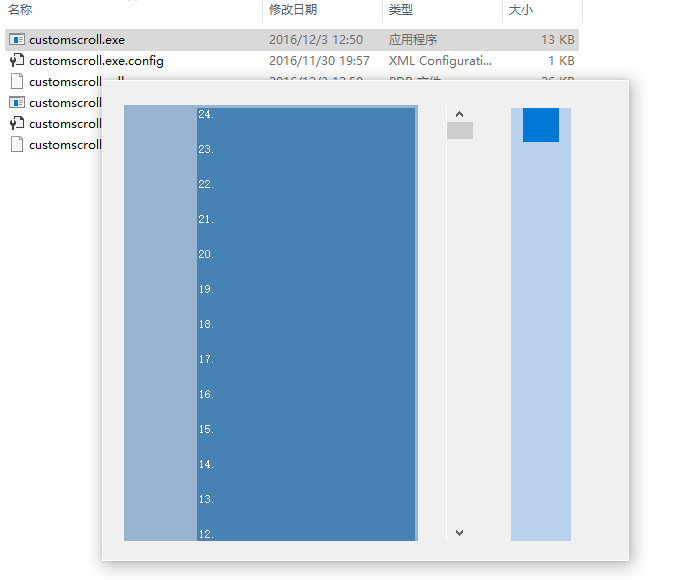
资源文件列表
customscroll/.vs/customscroll/v14/.suo , 43008
customscroll/App.config , 189
customscroll/bin/Debug/customscroll.exe , 12800
customscroll/bin/Debug/customscroll.exe.config , 189
customscroll/bin/Debug/customscroll.pdb , 26112
customscroll/bin/Debug/customscroll.vshost.exe , 22696
customscroll/bin/Debug/customscroll.vshost.exe.config , 189
customscroll/bin/Debug/customscroll.vshost.exe.manifest , 490
customscroll/customscroll.csproj , 3922
customscroll/customscroll.sln , 990
customscroll/Form1.cs , 9986
customscroll/Form1.Designer.cs , 5424
customscroll/Form1.resx , 5817
customscroll/Program.cs , 524
customscroll/Properties/AssemblyInfo.cs , 1332
customscroll/Properties/Resources.Designer.cs , 2837
customscroll/Properties/Resources.resx , 5612
customscroll/Properties/Settings.Designer.cs , 1099
customscroll/Properties/Settings.settings , 249