
一 如果只是混淆exe文件则
1. 将MyTest.exe文件拖到 confuserEx工具
2. 点击Settings
(1)选择Packer(下拉那里默认即可)
(2)Modules->选中MyTest.exe
(3) 选中Rules 点击 号,true
3. 点击Protest!->Protect! ,提示导出成功
二 如果只是混淆dll文件
1.将dll拖入ConfuserEx后
2.点击Settings
(1)不能选择Packer了(因为dll不是packer)
(2)Modules->选中MyLibrary.exe
(3) 选中Rules 点击 号,true
(4) 点击最右侧(下方)的铅笔头图标
(5)在弹出的窗口中 Preset 选择Maxinum,然后再点击下面 “ ”按钮,选择anti ildasm(我猜是防止通过IL编译)
3. 点击Protest!->Protect! ,提示导出成功
如果是所有程序集合都混淆,则排出开元项目即可
特别声明:文本操作者工具,只需要混淆自定义的程序集,不混淆texttools.exe文件(因为混淆后程序集报错)
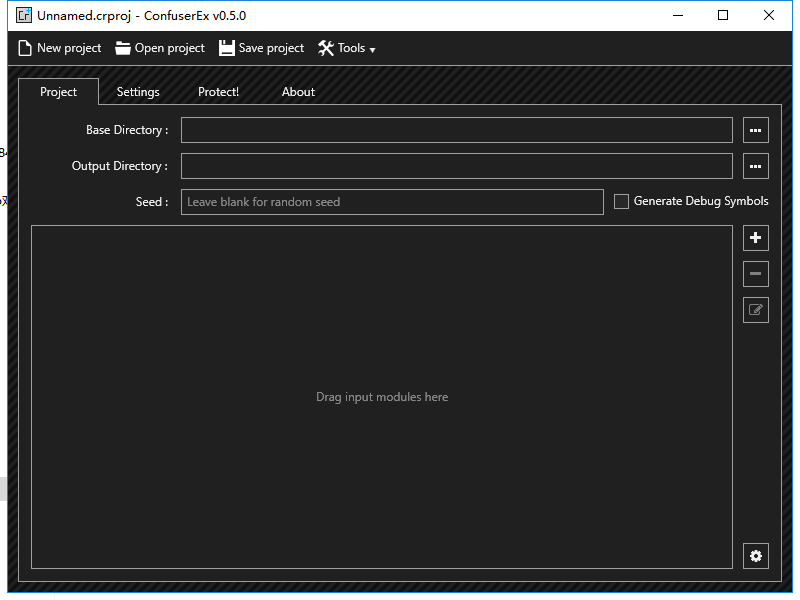
资源文件列表
Confuser.CLI.exe , 43520
Confuser.CLI.pdb , 91648
Confuser.Core.dll , 161792
Confuser.Core.pdb , 456192
Confuser.Core.xml , 157494
Confuser.DynCipher.dll , 47104
Confuser.DynCipher.pdb , 155136
Confuser.Protections.dll , 129024
Confuser.Protections.pdb , 339456
Confuser.Renamer.dll , 299008
Confuser.Renamer.pdb , 325120
Confuser.Runtime.dll , 41472
Confuser.Runtime.pdb , 126464
ConfuserEx.exe , 393728
ConfuserEx.exe.config , 505
ConfuserEx.pdb , 220672
dnlib.dll , 952320
dnlib.pdb , 2981376
dnlib.xml , 1750849
GalaSoft.MvvmLight.Extras.WPF4.dll , 25600
GalaSoft.MvvmLight.WPF4.dll , 28672
Microsoft.Practices.ServiceLocation.dll , 18120
Ookii.Dialogs.Wpf.dll , 103936
System.Threading.dll , 387408
System.Windows.Interactivity.dll , 39936