
其中用到了 timer控件
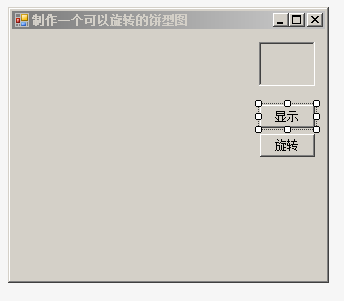
    public partial class Frm_Main : Form
    {
        public class PyPanel : Panel
        {
            public PyPanel()
            {
                SetStyle(ControlStyles.OptimizedDoubleBuffer | ControlStyles.AllPaintingInWmPaint, true);
                UpdateStyles();
            }
        }
        public Frm_Main()
        {
            InitializeComponent();
        }
        SqlConnection con;
        SqlCommand cmd;

        private void Conn()
        {
            con = new SqlConnection("server=WRET-MOSY688YVW\\MRGLL;UID=sa;Pwd=hbyt2008!@#;database=db_TomeOne");
            con.Open();
        }

        Bitmap bt;
        Bitmap bt1;
        int flag = 0;
        PyPanel panel1 = new PyPanel();
        private void ShowPic(string SexCode, float f)							// ShowPic方法绘制饼图
        {
            this.Controls.Add(panel1);									//将Panel控件添加到窗体中
            panel1.Width = 230;										//设置Panel控件的宽度
            panel1.Height = 230;										//设置Panel控件的高度
            bt = new Bitmap(panel1.Width, panel1.Height);						//创建画布
            Graphics g = Graphics.FromImage(bt);							//创建Graphics对象
            Pen p = new Pen(new SolidBrush(Color.Blue));						//创建画笔
            Point p1 = new Point(0, 0);									//创建一个Point对象
            Size s = new Size(this.panel1.Width, this.panel1.Height);				//创建Size对象
            Rectangle trct = new Rectangle(p1, s);							//创建Rectangle对象
            g.FillEllipse(new SolidBrush(Color.Red), trct);						//绘制椭圆
            g.FillPie(new SolidBrush(Color.Blue), trct, flag, f * 360);				//绘制扇形
            bt1 = new Bitmap(panel2.Width, panel2.Height);						//创建画布
            Graphics ginfo = Graphics.FromImage(bt1);						//创建Graphics对象
            Font font = new Font("宋体", 10, FontStyle.Regular);				//设置字体
            ginfo.DrawString(SexCode   " "   f.ToString().Substring(0, 4), font, new SolidBrush(Color.Blue), 0, 5);
            ginfo.DrawString("女"   " "   (1.0 - Convert.ToDouble(f.ToString().Substring(0, 4))).ToString().Substring(0, 4), font, new SolidBrush(Color.Red), 0, 25);											//绘制性别及比率
            panel1.BackgroundImage = bt;								//显示饼图
            panel2.BackgroundImage = bt1;								//显示性别及比率
        }

        private void button1_Click(object sender, EventArgs e)					//单击“显示”按钮显示饼图
        {
            Conn();												//连接数据库
            //using (cmd = new SqlCommand("SELECT sex,COUNT(sex) num FROM tb_sex group by sex", con))
            using (cmd = new SqlCommand("SELECT sex,COUNT(sex) num FROM tb_sex group by sex", con))
            {
                SqlDataReader dr = cmd.ExecuteReader();						//创建SqlDataReader对象
                string[] str = new string[2];
                int i = 0;
                while (dr.Read())										//读取记录
                {
                    str[i] = dr[0].ToString()   ","   dr[1].ToString();			//获取数据库中存储的性别及比例
                    i  ;
                }
                float N = Convert.ToInt16(str[0].Substring(2))   Convert.ToInt16(str[1].Substring(2));//男女性别比例之和
                float f = Convert.ToInt16(str[0].Substring(2)) / N;				//男性的比例
                flag = 180;											//开始绘制的起始角度
                ShowPic(str[0].Substring(0, 1), f);							//调用ShowPic方法绘制饼图
            }
            con.Close();
        }

        private void timer1_Tick(object sender, EventArgs e)						//当单击“旋转”按钮时开始旋转饼图
        {
            flag  = 1;												//每次转动一度
            Conn();												//连接数据库
            using (cmd = new SqlCommand("SELECT sex,COUNT(sex) num FROM tb_sex group by sex", con))
            {
                SqlDataReader dr = cmd.ExecuteReader();						//创建SqlDataReader对象
                string[] str = new string[2];								//声明数组存储性别及比例
                int i = 0;
                while (dr.Read())
                {
                    str[i] = dr[0].ToString()   ","   dr[1].ToString();			//获取数据库中存储的性别及比例
                    i  ;
                }
                float N = Convert.ToInt16(str[0].Substring(2))   Convert.ToInt16(str[1].Substring(2)); //男女性别比例之和
                float f = Convert.ToInt16(str[0].Substring(2)) / N;				//男性的比例
                ShowPic(str[0].Substring(0, 1), f);							//调用ShowPic方法绘制饼图
            }
            con.Close();												//关闭连接
        }

        private void button2_Click(object sender, EventArgs e)					//“旋转”按钮
        {
            if (button2.Text == "旋转")									//如果按钮显示“旋转”文本
            {
                timer1.Start();										//开始Timer控件
                button2.Text = "停止";									//将按钮的文本设为“停止”
            }
            else													//如果按钮的文本为“停止”
            {
                timer1.Stop();										//停止Timer控件
                button2.Text = "旋转";									//将按钮的文本设为“旋转”
            }
        }
}资源文件列表
RoundCaky.sln , 917
RoundCaky.suo , 17920
RoundCaky/bin/Debug/RoundCaky.exe , 11264
RoundCaky/bin/Debug/RoundCaky.pdb , 26112
RoundCaky/Frm_Main.cs , 5753
RoundCaky/Frm_Main.designer.cs , 3651
RoundCaky/Frm_Main.resx , 6008
RoundCaky/obj/Debug/DesignTimeResolveAssemblyReferences.cache , 789
RoundCaky/obj/Debug/DesignTimeResolveAssemblyReferencesInput.cache , 7146
RoundCaky/obj/Debug/RoundCaky.csproj.FileListAbsolute.txt , 4099
RoundCaky/obj/Debug/RoundCaky.csproj.GenerateResource.Cache , 850
RoundCaky/obj/Debug/RoundCaky.exe , 11264
RoundCaky/obj/Debug/RoundCaky.Frm_Main.resources , 180
RoundCaky/obj/Debug/RoundCaky.pdb , 26112
RoundCaky/obj/Debug/RoundCaky.Properties.Resources.resources , 180
RoundCaky/obj/Debug/TempPE/Properties.Resources.Designer.cs.dll , 4608
RoundCaky/obj/Debug/╓╞╫≈╥╗╕÷┐╔╥╘╨²╫¬╡─▒²╨══╝.csproj.FileListAbsolute.txt , 3342
RoundCaky/Program.cs , 493
RoundCaky/Properties/AssemblyInfo.cs , 1350
RoundCaky/Properties/Resources.Designer.cs , 2858
RoundCaky/Properties/Resources.resx , 5612
RoundCaky/Properties/Settings.Designer.cs , 1109
RoundCaky/Properties/Settings.settings , 249
RoundCaky/RoundCaky.csproj , 4022
╓╞╫≈╥╗╕÷┐╔╥╘╨²╫¬╡─▒²╨══╝.suo , 17408