
可上传上小于1G的文件,可以配置Web.config文件来设定上传文件的大小。
完全基于.NET开发,无需任何客户端配置。
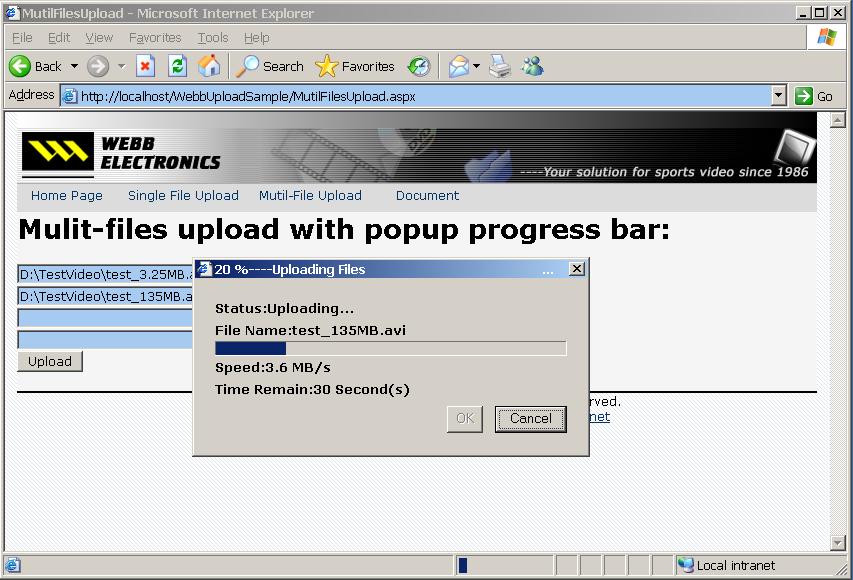
提供同步的上传进度条,显示实时上传进度信息。
不破坏页面逻辑,提供类似ASP.NET内置上传组件的使用方法。
不受 Server.ScriptTimeout(请求的超时设置) 影响,可配置服务器处理时间。
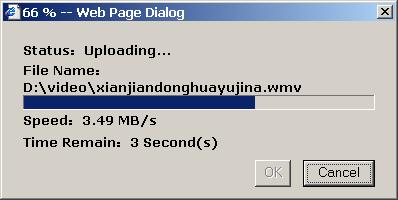
单文件上传
		private void Button1_Load(object sender, System.EventArgs e)
		{
			Button	m_button		= sender as Button;
			WebbUpload m_upload		= new WebbUpload();
			m_upload.RegisterProgressBar(m_button);

		}

		private void Button1_Click(object sender, System.EventArgs e)
		{
			string m_path			= Path.Combine(MapPath("."),"UploadedFiles");
			WebbUpload m_upload		= new WebbUpload();
			UploadFile m_file		= m_upload.GetUploadFile("m_file");
			string m_filePath		= Path.Combine(m_path,Path.GetFileName(m_file.ClientFullPathName));
			m_file.SaveAs(m_filePath);
			this.Label1.Text		= "Uploaded file:<br/>";
			this.Label1.Text		 = "<a href='uploadedFiles\\" Path.GetFileName(m_file.ClientFullPathName) "'>uploadedFiles\\" Path.GetFileName(m_file.ClientFullPathName) "</a><p>";
		}
多文件上传
		private void Button1_Load(object sender, System.EventArgs e)
		{
			Button	m_button		= sender as Button;
			WebbUpload m_upload		= new WebbUpload();
			m_upload.RegisterProgressBar(m_button);
		}

		private void Button1_Click(object sender, System.EventArgs e)
		{
			string m_path					= Path.Combine(MapPath("."),"UploadedFiles");
			WebbUpload m_upload				= new WebbUpload();
			UploadFileCollection m_files	= m_upload.GetUploadFileList("m_file");
			string m_filePath				= string.Empty;
			this.Label1.Text		= "Uploaded file:<br/>";
			foreach(UploadFile m_file in m_files)
			{
				if(m_file.FileName==null||m_file.FileName==string.Empty) continue;	//skip the empty input file.
				m_filePath				= Path.Combine(m_path,m_file.FileName);
				m_file.SaveAs(m_filePath);
				this.Label1.Text		 = "<a href='uploadedFiles\\" m_file.FileName "'>uploadedFiles\\" Path.GetFileName(m_file.ClientFullPathName) "</a><p>";
			}
		}
资源文件列表
┤≤╬─╝■╔╧┤½╩╡└²/WebbUpload.zip , 148161
┤≤╬─╝■╔╧┤½╩╡└²/WebbUploadSample.zip , 109764