
此实例已经过测试,大家拿来即可使用,无须配置!
两个功能:一个是用程序实现下载网络图片至本地,另一个是自动生成该图片的缩略图
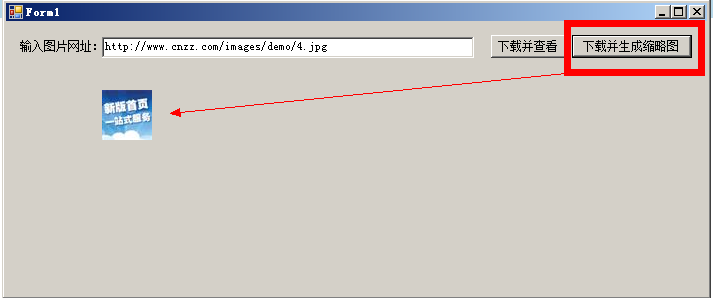
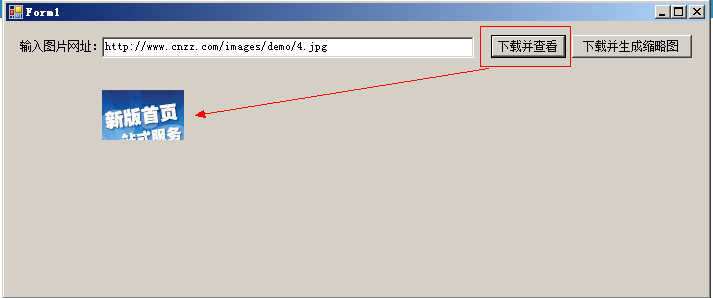
        private void button1_Click(object sender, EventArgs e)
        {
            string localPath=ImageUtils.DownLoadPic(this.textBox1.Text);
            this.pictureBox1.ImageLocation = localPath;
        }

        private void button2_Click(object sender, EventArgs e)
        {
            string path = AppDomain.CurrentDomain.BaseDirectory   "Image\\"   DateTime.Now.ToString("yyyyMMddHHmmss")   DateTime.Now.Millisecond.ToString()   ".jpg";
            ImageUtils.MakeThumbnail(this.textBox1.Text, path, 50, 50, "H");
            this.pictureBox1.ImageLocation = path;
        }
        /// <summary>
        /// 生成缩略图
        /// </summary>
        /// <param name="originalImagePath">源图路径(网络路径)</param>
        /// <param name="thumbnailPath">缩略图路径(物理路径)</param>
        /// <param name="width">缩略图宽度</param>
        /// <param name="height">缩略图高度</param>
        /// <param name="mode">生成缩略图的方式</param>
        public static void MakeThumbnail(string originalImagePath, string thumbnailPath, int width, int height, string mode)
        {
            //System.Drawing.Image originalImage = System.Drawing.Image.FromFile(originalImagePath);

            HttpWebResponse res = null;
            HttpWebRequest req = (HttpWebRequest)WebRequest.Create(originalImagePath);
            req.Proxy = null;
            res = (HttpWebResponse)req.GetResponse();

            //FileWebResponse res = null;
            //FileWebRequest req = (FileWebRequest)WebRequest.Create(originalImagePath);
            //res = (FileWebResponse)req.GetResponse();

            System.Drawing.Image originalImage = System.Drawing.Image.FromStream(res.GetResponseStream(), false, false);


            int towidth = width;
            int toheight = height;

            int x = 0;
            int y = 0;
            int ow = originalImage.Width;
            int oh = originalImage.Height;

            switch (mode)
            {
                case "HW"://指定高宽缩放(可能变形)
                    break;
                case "W"://指定宽,高按比例
                    toheight = originalImage.Height * width / originalImage.Width;
                    break;
                case "H"://指定高,宽按比例
                    towidth = originalImage.Width * height / originalImage.Height;
                    break;
                case "Cut"://指定高宽裁减(不变形)
                    if ((double)originalImage.Width / (double)originalImage.Height > (double)towidth / (double)toheight)
                    {
                        oh = originalImage.Height;
                        ow = originalImage.Height * towidth / toheight;
                        y = 0;
                        x = (originalImage.Width - ow) / 2;
                    }
                    else
                    {
                        ow = originalImage.Width;
                        oh = originalImage.Width * height / towidth;
                        x = 0;
                        y = (originalImage.Height - oh) / 2;
                    }
                    break;
                case "Cust":
                    if (ow > oh) toheight = originalImage.Height * width / originalImage.Width;
                    else towidth = originalImage.Width * height / originalImage.Height;
                    break;
                default:
                    break;
            }

            //新建一个bmp图片
            System.Drawing.Image bitmap = new System.Drawing.Bitmap(towidth, toheight);

            //新建一个画板
            Graphics g = System.Drawing.Graphics.FromImage(bitmap);
            //System .Drawing .Graphics .FromImage(

            //设置高质量插值法
            g.InterpolationMode = System.Drawing.Drawing2D.InterpolationMode.High;

            //设置高质量,低速度呈现平滑程度
            g.SmoothingMode = System.Drawing.Drawing2D.SmoothingMode.HighQuality;

            //清空画布并以透明背景色填充
            g.Clear(Color.Transparent);

            //在指定位置并且按指定大小绘制原图片的指定部分
            g.DrawImage(originalImage, new Rectangle(0, 0, towidth, toheight),
                new Rectangle(x, y, ow, oh),
                GraphicsUnit.Pixel);

            try
            {
                //以jpg格式保存缩略图
                //bitmap.Save(HttpContext.Current.Server.MapPath(thumbnailPath), System.Drawing.Imaging.ImageFormat.Jpeg);
                bitmap.Save(thumbnailPath, System.Drawing.Imaging.ImageFormat.Jpeg);
            }
            catch (System.Exception e)
            {
                throw e;
            }
            finally
            {
                if (res != null)
                {
                    res.Close();
                }

                originalImage.Dispose();
                bitmap.Dispose();
                g.Dispose();
            }
        }
        public static string DownLoadPic(string strLocalPicPath)
        {
            HttpWebResponse res = null;
            HttpWebRequest req = (HttpWebRequest)WebRequest.Create(strLocalPicPath);
            req.Proxy = null;
            res = (HttpWebResponse)req.GetResponse();
            System.Drawing.Image originalImage = System.Drawing.Image.FromStream(res.GetResponseStream(), false, false);
            string ext = "jpg";
            if (originalImage.RawFormat.Equals(System.Drawing.Imaging.ImageFormat.Bmp)) ext = "bmp";
            if (originalImage.RawFormat.Equals(System.Drawing.Imaging.ImageFormat.Gif)) ext = "gif";
            if (originalImage.RawFormat.Equals(System.Drawing.Imaging.ImageFormat.Png)) ext = "png";
            if (originalImage.RawFormat.Equals(System.Drawing.Imaging.ImageFormat.Jpeg)) ext = "jpg";
            if (originalImage.RawFormat.Equals(System.Drawing.Imaging.ImageFormat.Icon)) ext = "icon";
            string path = AppDomain.CurrentDomain.BaseDirectory   "Image\\"   DateTime.Now.ToString("yyyyMMddHHmmss")   DateTime.Now.Millisecond.ToString()   "."   ext;
            originalImage.Save(path);
            strLocalPicPath = path;
            originalImage.Dispose();
            return strLocalPicPath;
        }
资源文件列表
DownLoadPic/DownLoadPic/bin/Debug/DownLoadPic.exe , 11776
DownLoadPic/DownLoadPic/bin/Debug/DownLoadPic.pdb , 24064
DownLoadPic/DownLoadPic/bin/Debug/DownLoadPic.vshost.exe , 22472
DownLoadPic/DownLoadPic/bin/Debug/DownLoadPic.vshost.exe.manifest , 490
DownLoadPic/DownLoadPic/bin/Debug/Image/20121221230248344.png , 2988
DownLoadPic/DownLoadPic/bin/Debug/Image/20121221231115436.jpg , 1538
DownLoadPic/DownLoadPic/bin/Debug/Image/20121221231155962.jpg , 3631
DownLoadPic/DownLoadPic/DownLoadPic.csproj , 3776
DownLoadPic/DownLoadPic/DownLoadPic.sln , 911
DownLoadPic/DownLoadPic/DownLoadPic.v11.suo , 34304
DownLoadPic/DownLoadPic/Form1.cs , 965
DownLoadPic/DownLoadPic/Form1.Designer.cs , 4405
DownLoadPic/DownLoadPic/Form1.resx , 5817
DownLoadPic/DownLoadPic/ImageUtils.cs , 6176
DownLoadPic/DownLoadPic/obj/Debug/DesignTimeResolveAssemblyReferences.cache , 863
DownLoadPic/DownLoadPic/obj/Debug/DesignTimeResolveAssemblyReferencesInput.cache , 6803
DownLoadPic/DownLoadPic/obj/Debug/DownLoadPic.csproj.FileListAbsolute.txt , 527
DownLoadPic/DownLoadPic/obj/Debug/DownLoadPic.csproj.GenerateResource.Cache , 975
DownLoadPic/DownLoadPic/obj/Debug/DownLoadPic.exe , 11776
DownLoadPic/DownLoadPic/obj/Debug/DownLoadPic.Form1.resources , 180
DownLoadPic/DownLoadPic/obj/Debug/DownLoadPic.pdb , 24064
DownLoadPic/DownLoadPic/obj/Debug/DownLoadPic.Properties.Resources.resources , 180
DownLoadPic/DownLoadPic/Program.cs , 492
DownLoadPic/DownLoadPic/Properties/AssemblyInfo.cs , 1360
DownLoadPic/DownLoadPic/Properties/Resources.Designer.cs , 2874
DownLoadPic/DownLoadPic/Properties/Resources.resx , 5612
DownLoadPic/DownLoadPic/Properties/Settings.Designer.cs , 1098
DownLoadPic/DownLoadPic/Properties/Settings.settings , 249