
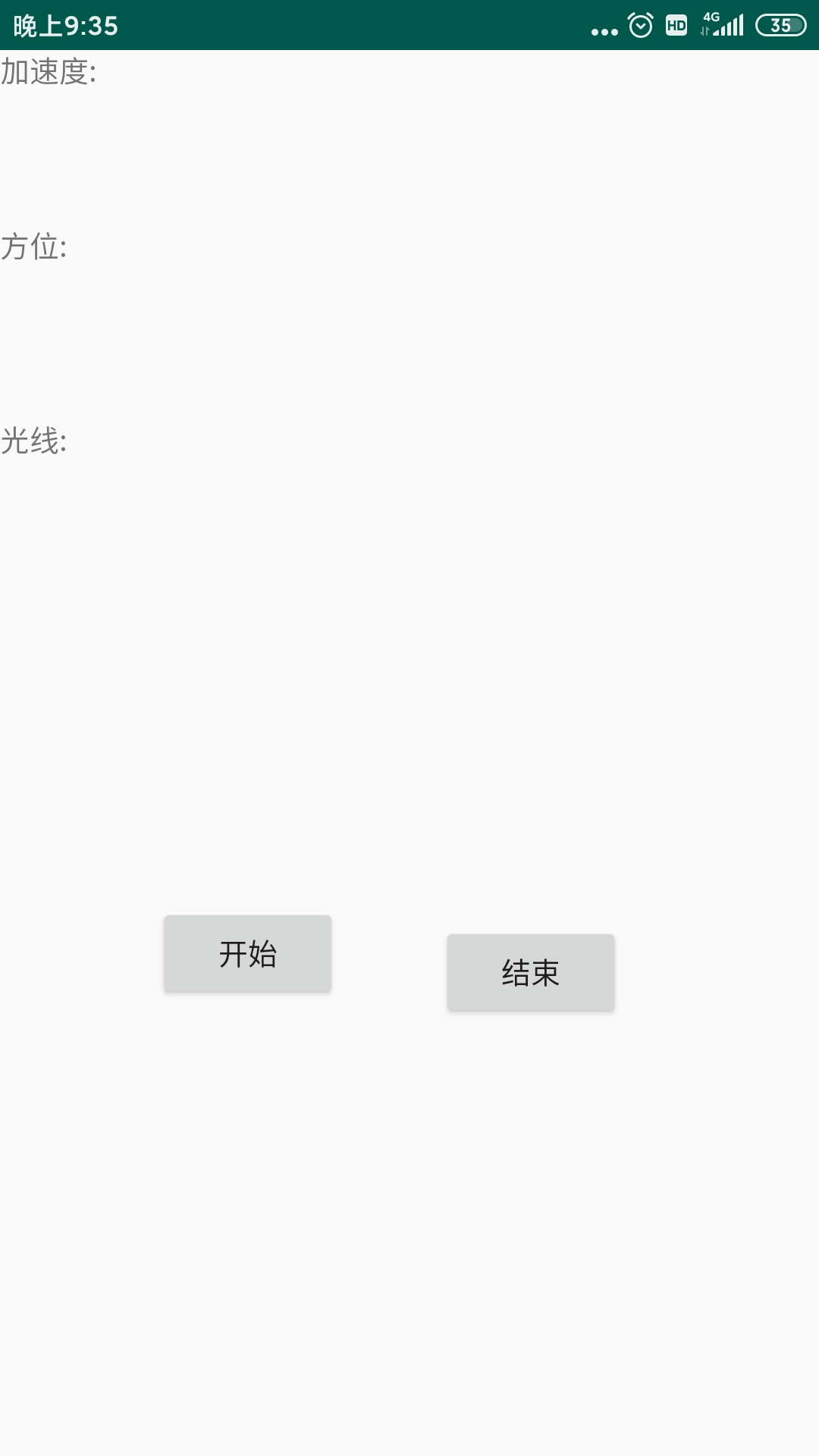
package com.example.admin.myapplication;


import android.app.Activity;
import android.content.Intent;
import android.hardware.Sensor;
import android.hardware.SensorEvent;
import android.hardware.SensorEventListener;
import android.hardware.SensorManager;
import android.os.Bundle;
import android.view.View;
import android.widget.Button;
import android.widget.TextView;

public class MainActivity extends Activity implements SensorEventListener {
    private SensorManager mSensorManager;
    private Sensor mAccelerometer;
    private Sensor mOrientation;
    private Sensor mLight;
    private TextView tAccelerometer;
    private TextView tOrientation;
    private TextView tLight;
    private Button mcontinue;
    private Button mpause;
int b;
    @Override
    public void onCreate(Bundle savedInstanceState) {


        super.onCreate(savedInstanceState);
        setContentView(R.layout.activity_main);
        mcontinue = (Button) findViewById(R.id.button1);
        mpause = (Button) findViewById(R.id.button2);
mcontinue.setOnClickListener(new View.OnClickListener() {
    @Override
    public void onClick(View v) {
        b=1;
    }
});
mpause.setOnClickListener(new View.OnClickListener() {
    @Override
    public void onClick(View v) {
b=2;
    }
});

        tAccelerometer = (TextView) this.findViewById(R.id.tAccelerometer);
        tOrientation = (TextView) this.findViewById(R.id.tOrientation);
        tLight = (TextView) this.findViewById(R.id.tLight);
        // 获得传感器管理器
        mSensorManager = (SensorManager) getSystemService(SENSOR_SERVICE);
        //获得加速度传感器
        mAccelerometer = mSensorManager
                .getDefaultSensor(Sensor.TYPE_ACCELEROMETER);
        //获得方向度传感器
        mOrientation = mSensorManager.getDefaultSensor(Sensor.TYPE_MAGNETIC_FIELD);
        //获得光线传感器
        mLight = mSensorManager.getDefaultSensor(Sensor.TYPE_LIGHT);
    }

    protected void onResume() {
        super.onResume();
        //对加速度传感器注册传感器监听器
        mSensorManager.registerListener(this, mAccelerometer,
                SensorManager.SENSOR_DELAY_NORMAL);
        //对方向传感器注册传感器监听器
        mSensorManager.registerListener(this, mOrientation,
                SensorManager.SENSOR_DELAY_NORMAL);
        //对光线传感器注册传感器监听器
        mSensorManager.registerListener(this, mLight,
                SensorManager.SENSOR_DELAY_NORMAL);
    }

    protected void onPause() {
        super.onPause();
        // 取消传感器监听器的注册
        mSensorManager.unregisterListener(this);
    }

    public void onAccuracyChanged(Sensor sensor, int accuracy) {
        // 在此方法中,编写当某个传感器的精度发生变化时应执行的操作
    }

    public void onSensorChanged(SensorEvent event) {
        // 在此方法中,编写当某个传感器的数值发生变化时应执行的操作
        // 得到方向的值
        if (b==1) {
            float x = event.values[1];
            float y = event.values[2];
            float z = event.values[3];
            if (event.sensor.getType() == Sensor.TYPE_MAGNETIC_FIELD) {
                tOrientation.setText("方位: "   x   ", "   y   ", "   z);
            }
            // 得到加速度的值
            else if (event.sensor.getType() == Sensor.TYPE_ACCELEROMETER) {
                tAccelerometer.setText("加速度: "   x   ", "   y   ", "   z);
            } else if (event.sensor.getType() == Sensor.TYPE_LIGHT) {
                tLight.setText("光线: "   event.values[0]);

            }
        }
          else if(b==2){
            tOrientation.setText("方位: " );
            tAccelerometer.setText("加速度: " );
            tLight.setText("光线: " );
        }

    }
}
资源文件列表
MyApplication/app/.gitignore , 8
MyApplication/app/build.gradle , 964
MyApplication/app/proguard-rules.pro , 772
MyApplication/app/src/androidTest/java/com/example/admin/myapplication/ExampleInstrumentedTest.java , 772
MyApplication/app/src/main/AndroidManifest.xml , 745
MyApplication/app/src/main/java/com/example/admin/myapplication/MainActivity.java , 3959
MyApplication/app/src/main/res/drawable/ic_launcher_background.xml , 5776
MyApplication/app/src/main/res/drawable-v24/ic_launcher_foreground.xml , 1914
MyApplication/app/src/main/res/layout/activity_main.xml , 1892
MyApplication/app/src/main/res/mipmap-anydpi-v26/ic_launcher.xml , 276
MyApplication/app/src/main/res/mipmap-anydpi-v26/ic_launcher_round.xml , 276
MyApplication/app/src/main/res/mipmap-hdpi/ic_launcher.png , 2963
MyApplication/app/src/main/res/mipmap-hdpi/ic_launcher_round.png , 4905
MyApplication/app/src/main/res/mipmap-mdpi/ic_launcher.png , 2060
MyApplication/app/src/main/res/mipmap-mdpi/ic_launcher_round.png , 2783
MyApplication/app/src/main/res/mipmap-xhdpi/ic_launcher.png , 4490
MyApplication/app/src/main/res/mipmap-xhdpi/ic_launcher_round.png , 6895
MyApplication/app/src/main/res/mipmap-xxhdpi/ic_launcher.png , 6387
MyApplication/app/src/main/res/mipmap-xxhdpi/ic_launcher_round.png , 10413
MyApplication/app/src/main/res/mipmap-xxxhdpi/ic_launcher.png , 9128
MyApplication/app/src/main/res/mipmap-xxxhdpi/ic_launcher_round.png , 15132
MyApplication/app/src/main/res/values/colors.xml , 214
MyApplication/app/src/main/res/values/strings.xml , 80
MyApplication/app/src/main/res/values/styles.xml , 394
MyApplication/app/src/test/java/com/example/admin/myapplication/ExampleUnitTest.java , 408
MyApplication/build.gradle , 573
MyApplication/gradle/wrapper/gradle-wrapper.jar , 54329
MyApplication/gradle/wrapper/gradle-wrapper.properties , 200
MyApplication/gradle.properties , 741
MyApplication/gradlew , 5296
MyApplication/gradlew.bat , 2260
MyApplication/settings.gradle , 16