
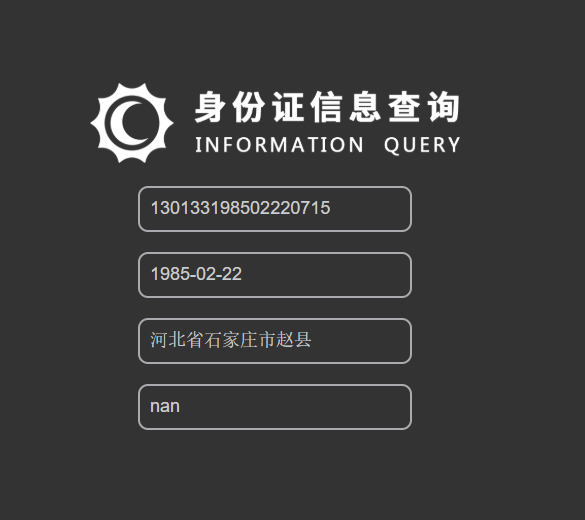
输入身份证号码可查询身份信息


<!DOCTYPE HTML>
<HTML>
 <HEAD>
  <META charset="RGB">
  <META NAME="Keywords" CONTENT="关键词 关键字">
  <META NAME="Descriotion" CONTENT="描述信息">
  <TITLE> 身份证信息查询 </TITLE>
 <style>
 /*设置背景色*/
    body{background-color:#333333;}
    </style>
  <style>
  *{margin:0;}
  .idCard{width:370px;height:350px;background:#333333;margin:150px auto;}
  .idCard input{width:270px;height:40px;margin:0 auto;display:block;margin-top:20px;outline:none;border:2px solid #a9abaf;background:none;border-radius:10px;text-indent:10px;font-size:18px;color:#cdcdcd;}
  ::-webkit-input-placeholder{color:#9d9d9d;font-size:18px;font-wight:700;}
  input:focus::-webkit-input-placeholder{opacity:0.5;}

  </style>
 </HEAD>

 <BODY>

  <div class="idCard">
  <img src="images/logo.png" width="100%">
  <input type="text" id="card" placeholder="输入身份证号码">
  <input type="text" id="birth" placeholder="生日" disabled="disabled">
  <input type="text" id="addr" placeholder="籍贯" disabled="disabled">
  <input type="text" id="sex" placeholder="性别" disabled="disabled">

  </div>  <!--城市数据-->
  <script src="js/GB2260.js"></script>
  <!--查询框架-->
  <script src="js/IDCardPaser.js"></script>

   <script>
   /*封装查询input值*/
   function mxrs(obj){
	return document.getElementById(obj);
   }
   //监听事件
   document.body.addEventListener("change",function(){
   //创建查询对象IDCardPaser
   var idCardPaser = new IDCardPaser();
   //获取输入的身份证号码
   var cardNumber = mxrs("card").value;
   console.log(cardNumber);
   var info = idCardPaser.getInfo(cardNumber);
   console.log(info);
   console.log(info.addr);
   console.log(info.birth);
   console.log(info.sex);
   if(info==false){
	alert("请输入正确的身份证号码!");
   }else{
	mxrs("birth").value=info.birth;
	mxrs("addr").value=info.addr;
	mxrs("sex").value=info.sex;
	}
});
   </script>
 </BODY>
</HTML>
资源文件列表
images/background.jpg , 362507
images/logo.png , 32085
js/GB2260.js , 77614
js/GB2260.js.bak , 77619
js/IDCardPaser.js , 8632
js/IDCardPaser.js.bak , 8721
╔φ╖▌╓ñ╨┼╧ó▓Θ╤».html , 1946
╔φ╖▌╓ñ╨┼╧ó▓Θ╤».html.bak.bak , 1985