
1.需求分析 该系统是一个画图程序,我们要用设计模式的思想来设计系统结构,然后实现基本图形的绘制功能。 1.1 设计模式要求 至少在其中运用 3 种模式,其中涉及到的模式有装饰模式、策略模式、桥梁模式三种。 1.2 画图基本要求 能实现基本图形的绘制功能 1.3 画图高级要求 实现图形的操作(如选取、移动、放大、缩小、改变颜色、改变线形等)和持久化
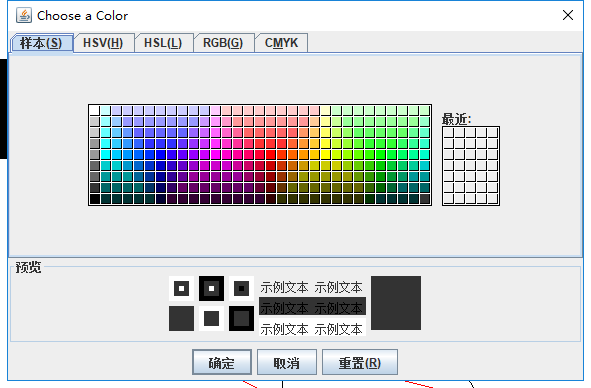
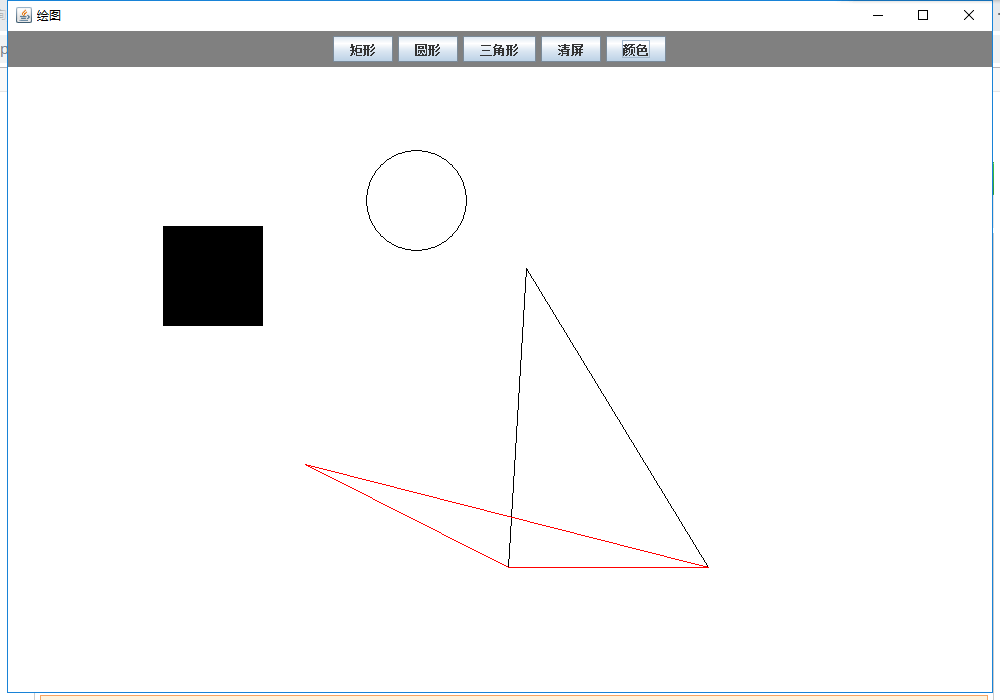
package jdgc;


import java.awt.BorderLayout;
import java.awt.Graphics;


import java.awt.Color;

import java.awt.event.ActionEvent;
import java.awt.event.ActionListener;
import java.awt.event.MouseAdapter;
import java.awt.event.MouseEvent;
import java.awt.event.MouseListener;

import javax.swing.JButton;
import javax.swing.JColorChooser;
import javax.swing.JFrame;

import javax.swing.JPanel;

public class Main {

	static Color c;
	static int x = 0;
	static int y = 0;
	static String a;

	public static void main(String []args){
		final JFrame jf = new JFrame("绘图");
		jf.setSize(1000,700);
		jf.setLocation(500,300);
		//边界布局
		jf.setLayout(new BorderLayout() );

		final JPanel panel1= new JPanel();
		panel1.setSize(950,700);
		panel1.setLocation(50,50);
		panel1.setBackground(Color.white);
		//panel1.setLayout(null);


		final JPanel panel2= new JPanel();
		panel2.setSize(700,40);
		panel2.setLocation(0,0);
		panel2.setBackground(Color.gray);


		final JButton bj = new JButton("矩形");
		bj.setSize(100,35);
		bj.setLocation(0,0);
		final JButton by = new JButton("圆形");
		by.setSize(100,35);
		by.setLocation(100,0);
		final JButton bs = new JButton("三角形");
		bs.setSize(100,35);
		bs.setLocation(200,0);
		final JButton cl = new JButton("清屏");
		bs.setSize(100,35);
		bs.setLocation(300,0);
		final JButton co = new JButton("颜色");
		bs.setSize(100,35);
		bs.setLocation(400,0);


		panel2.add(bj);
		panel2.add(by);
		panel2.add(bs);
		panel2.add(cl);
		panel2.add(co);


		jf.add(panel1,BorderLayout.CENTER);

		jf.add(panel2,BorderLayout.NORTH);

		jf.setDefaultCloseOperation(JFrame.EXIT_ON_CLOSE);
		jf.setVisible(true);//设置窗体可见


        bj.addActionListener(new ActionListener() {

			@Override
			public void actionPerformed(ActionEvent e) {
				// TODO Auto-generated method stub

				a ="1";


     	}

		});

        by.addActionListener(new ActionListener() {

			@Override
			public void actionPerformed(ActionEvent e) {
				// TODO Auto-generated method stub

				a ="2";


			}
		});

        bs.addActionListener(new ActionListener() {

        	@Override
        	public void actionPerformed(ActionEvent e) {
        		// TODO Auto-generated method stub

        		a ="3";


	}
});

        cl.addActionListener(new ActionListener() {

        	@Override
        	public void actionPerformed(ActionEvent e) {
        		// TODO Auto-generated method stub

        		panel1.repaint();

	}
});

        co.addActionListener(new ActionListener() {

        	@Override
        	public void actionPerformed(ActionEvent e) {
        		// TODO Auto-generated method stub

        		c = JColorChooser.showDialog(null, "Choose a Color", co.getForeground());

	}
});

        panel1.addMouseListener(new MouseAdapter(){
			public void mousePressed(MouseEvent e) {//鼠标按下
				x = e.getX();
				y = e.getY();
			}

			public void mouseReleased(MouseEvent e) {//鼠标释放

				Graphics g = panel1.getGraphics();//画笔
				drawProduct dp = drawFactory.create(a);
				dp.paint(g);

			}


        });


	}


}
资源文件列表
Draw/.classpath , 301
Draw/.project , 380
Draw/.settings/org.eclipse.jdt.core.prefs , 629
Draw/bin/jdgc/drawFactory.class , 655
Draw/bin/jdgc/drawProduct.class , 149
Draw/bin/jdgc/huaJu.class , 606
Draw/bin/jdgc/huaSan.class , 683
Draw/bin/jdgc/huaYuan.class , 612
Draw/bin/jdgc/Main$1.class , 608
Draw/bin/jdgc/Main$2.class , 608
Draw/bin/jdgc/Main$3.class , 608
Draw/bin/jdgc/Main$4.class , 697
Draw/bin/jdgc/Main$5.class , 914
Draw/bin/jdgc/Main$6.class , 1179
Draw/bin/jdgc/Main.class , 2358
Draw/src/jdgc/drawFactory.java , 360
Draw/src/jdgc/drawProduct.java , 190
Draw/src/jdgc/huaJu.java , 253
Draw/src/jdgc/huaSan.java , 286
Draw/src/jdgc/huaYuan.java , 236
Draw/src/jdgc/Main.java , 3406