
开发工具:MyEclipse、SQL Server 2008,基本的图书管理系统,包含增删改查、java图形界面,数据库技术包含存储过程与触发器。
【调试步骤】
0. 执行数据库脚本 或者附加数据库 以达到让数据库可用的目的
1. 修改源码中的数据库密码 为您本地的密码
2. 输入管理员账号密码admin1/admin1 即可看到如下界面
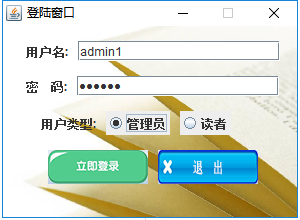
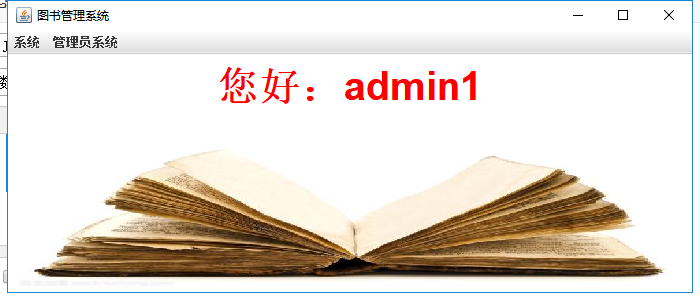
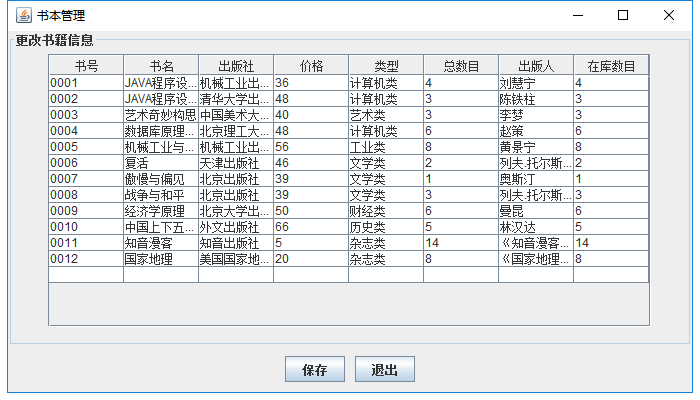
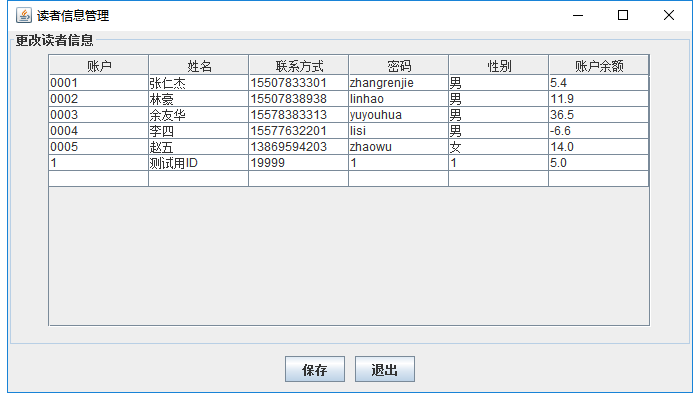
读者登陆如下:
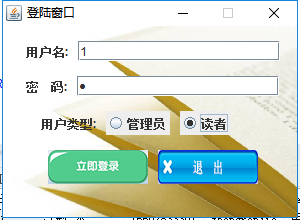
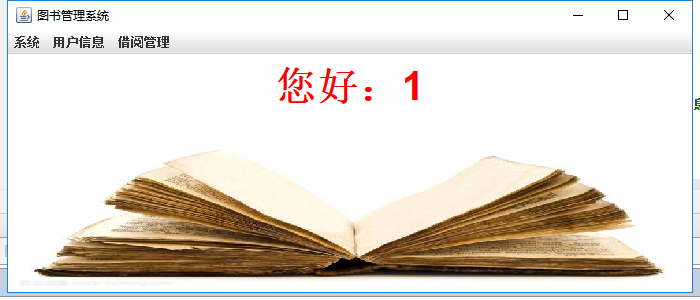
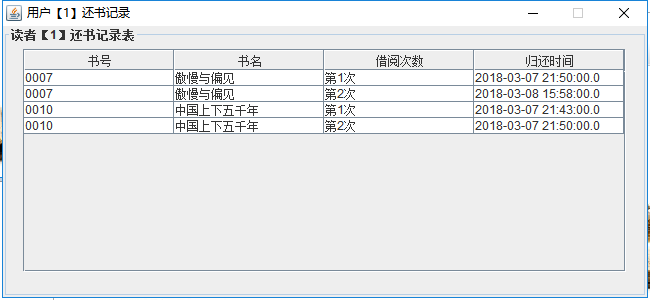

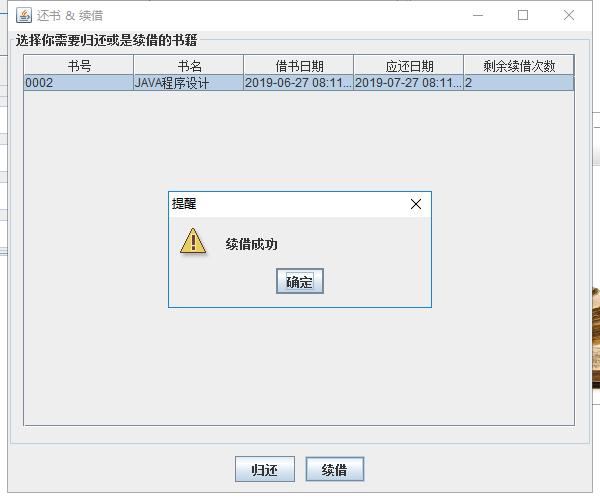
package MainUI;


import java.awt.*;
import java.awt.event.*;
import java.sql.Connection;
import java.sql.DriverManager;
import java.sql.ResultSet;
import java.sql.Statement;

import javax.swing.*;
import javax.swing.Timer;


import java.util.*;

public class login extends JFrame implements ActionListener, ItemListener {
	Container ct;
	BackgroundPanel bgp;

    JLabel user = new JLabel("用户名:");
    JLabel password = new JLabel("密    码:");
    JLabel usertype = new JLabel("用户类型:");
    JLabel space = new JLabel("        ");//用来占位
    JButton login = new JButton();
    JButton cancel = new JButton();

    ButtonGroup buttongroup = new ButtonGroup();
    JRadioButton mang = new JRadioButton("管理员");
    JRadioButton stu = new JRadioButton("读者");

    static JTextField text1 = new JTextField(18);
    JPasswordField text2 = new JPasswordField(18);

    public int a=0,b=0;


    public static void main(String args[]) {
    	new login();
    }

    public login() {
        super("登陆窗口");

       // setResizable(false);

        bgp=new BackgroundPanel((new ImageIcon("photo//login//login.jpg")).getImage()); //参数是一个Image对象,
        bgp.setLayout(new FlowLayout(FlowLayout.CENTER, 10, 15));
        bgp.setBounds(0,0,300,220);

        bgp.add(user);
        bgp.add(text1);
        bgp.add(password);
        bgp.add(text2);
        bgp.add(usertype);
        bgp.add(mang);
        bgp.add(stu);

        bgp.add(space);

        buttongroup.add(mang);
        buttongroup.add(stu);

        login.setIcon(new ImageIcon("photo//login//register.png"));
        login.setBorder(null);
        cancel.setIcon(new ImageIcon("photo//login//exit.png"));
        cancel.setBorder(null);
        bgp.add(login);
        bgp.add(cancel);


        ct=this.getContentPane();
        ct.add(bgp);

        this.setLayout(null);

        mang.addItemListener(this);//添加事件监听
        stu.addItemListener(this);
        login.addActionListener(this);
        cancel.addActionListener(this);

        this.setSize(300,220);
        this.setLocationRelativeTo(null);
        this.setDefaultCloseOperation(JFrame.EXIT_ON_CLOSE);
        this.setResizable(false);
        this.setVisible(true);

       // pack();
        addWindowListener(new WindowAdapter() {
            public void windowClosing(WindowEvent e) {
                dispose();
                System.exit(0);
            }
        });
    }

    public void actionPerformed(ActionEvent e) {//登录按钮
        if (e.getSource() == login) {

        	Connection conn = null;
            Statement stmt = null;
            ResultSet rs = null;
            String url = "jdbc:sqlserver://localhost:1433;DatabaseName=librarydb;";
            String sql = "select * from Admin";
            String sql2 = "select * from Reader";
            String eq = null;
            if(a==1&&b==0)
            {
            	eq = sql;
            }else if(a==0&&b==1)
            {
            	eq=sql2;
            }

            try {
                // 连接数据库
            	reminder(text1.getText(),text2.getText());//检查登录的问题
                conn = DriverManager.getConnection(url, "sa", "1@1.com");
                stmt = conn.createStatement();
                rs = stmt.executeQuery(eq);//连接数据库
                while (rs.next()) {
                    String account1 = rs.getString("Admin_id");//账号
                    String password1 = rs.getString("Admin_code");//密码
                    if(account1.equals(text1.getText())&&password1.equals(text2.getText())&&a==1)//管理员
                    {
                    	new MainForm(text1.getText(),true,true);
                    	JOptionPane.showMessageDialog(null, "管理员登录", "登录信息",JOptionPane.WARNING_MESSAGE);
                    	dispose();
                    }
                }
                if (rs != null) {rs.close();rs = null;}
                if (stmt != null) {stmt.close();stmt = null;}
                if (conn != null) {conn.close();conn = null;}
        }catch (Exception e1) {
        	try{
        	while (rs.next()) {
                String account2 = rs.getString("Reader_id");//账号
                String password2 = rs.getString("Reader_code");//密码
               if(account2.equals(text1.getText())&&password2.equals(text2.getText())&&b==1)//读者
                {
                	new MainForm(text1.getText(),true,false);
                	JOptionPane.showMessageDialog(null, "读者登录", "登录信息",JOptionPane.WARNING_MESSAGE);
                	dispose();
                }
            }
        	if (rs != null) {rs.close();rs = null;}
            if (stmt != null) {stmt.close();stmt = null;}
            if (conn != null) {conn.close();conn = null;}
        	}catch(Exception e2){
        		//JOptionPane.showMessageDialog(null, "数据库连接失败,你的账户密码有误", "出现错误",JOptionPane.WARNING_MESSAGE);
        	}
            }
            } else if (e.getSource() == cancel) {//退出按钮
            dispose();
        }
    }

	public void itemStateChanged(ItemEvent e)
    {//三种身份按钮

            if (e.getSource() == mang) {
            	a=1;b=0;
            } else if (e.getSource() == stu) {
            	a=0;b=1;
            }
    }

    public void reminder(String acc,String pwd)
    {
    	acc=text1.getText();
    	pwd=text2.getText();
    	if(acc.length()==0&&pwd.length()!=0){ShakeFrame();}
    	if(acc.length()!=0&&pwd.length()==0){ShakeFrame();}
    	if(acc.length()==0&&pwd.length()==0){ShakeFrame();}

    }

    public void ShakeFrame(){
    	int x = this.getX();
        int y = this.getY();
        for (int i = 0; i < 10; i  ) {
         if ((i & 1) == 0) {
          x  = 3;
          y  = 3;
         } else {
          x -= 3;
          y -= 3;
         }
         this.setLocation(x, y);
         try {
          Thread.sleep(50);
         } catch (InterruptedException e1) {
          e1.printStackTrace();
         }
         }
        }
}


class BackgroundPanel extends JPanel
{
    Image im;
    public BackgroundPanel(Image im)
    {
        this.im=im;
        this.setOpaque(true);                    //设置控件不透明,若是false,那么就是透明
    }
    //Draw the background again,继承自Jpanle,是Swing控件需要继承实现的方法,而不是AWT中的Paint()
    public void paintComponent(Graphics g)       //绘图类,详情可见博主的Java 下 java-Graphics
    {
        super.paintComponents(g);
        g.drawImage(im,0,0,this.getWidth(),this.getHeight(),this);  //绘制指定图像中当前可用的图像。图像的左上角位于该图形上下文坐标空间的 (x, y)。图像中的透明像素不影响该处已存在的像素

    }
}资源文件列表
.idea/encodings.xml , 202
.idea/libraries/sqljdbc4.xml , 215
.idea/misc.xml , 238
.idea/modules.xml , 270
.idea/workspace.xml , 25724
.project , 391
.settings/org.eclipse.jdt.core.prefs , 598
bin/Addsome/Addall$1.class , 1381
bin/Addsome/Addall$2.class , 1487
bin/Addsome/Addall.class , 6428
bin/Addsome/Addreader$1.class , 1406
bin/Addsome/Addreader$2.class , 1508
bin/Addsome/Addreader.class , 6203
bin/Borrow/BorrowForm$1.class , 771
bin/Borrow/BorrowForm$2.class , 771
bin/Borrow/BorrowForm$3.class , 770
bin/Borrow/BorrowForm$4.class , 735
bin/Borrow/BorrowForm$SomeThead.class , 1271
bin/Borrow/BorrowForm.class , 9356
bin/Borrow/Reborrow$1.class , 721
bin/Borrow/Reborrow.class , 4851
bin/Information/Extended$1.class , 762
bin/Information/Extended.class , 3330
bin/Information/ReaderInfo.class , 2693
bin/Information/ReturnB$1.class , 756
bin/Information/ReturnB.class , 3319
bin/MainUI/BackgroundPanel.class , 747
bin/MainUI/MainForm$1.class , 681
bin/MainUI/MainForm$BackgroundPanel.class , 917
bin/MainUI/MainForm.class , 6413
bin/MainUI/login$1.class , 663
bin/MainUI/login.class , 6599
bin/SQL/connect.class , 1898
com.zqy.example.iml , 1019
db/librarydb.mdf , 8388608
db/librarydb_log.ldf , 8388608
db/╩²╛▌┐Γ╜┼▒╛.sql , 39258
db/╩²╛▌┐Γ┤Ñ╖ó╞≈+┤µ┤ó╣²│╠.sql , 4189
libs/sqljdbc4.jar , 584207
photo/MainForm/book.png , 19567
photo/MainForm/bookBG.jpg , 18367
photo/MainForm/dispose.png , 20954
photo/MainForm/exit.png , 20247
photo/MainForm/history.png , 20409
photo/MainForm/reader.png , 20290
photo/MainForm/reader_info.png , 20239
photo/MainForm/reborrow.png , 19858
photo/MainForm/return_book.png , 19994
photo/login/exit.png , 20506
photo/login/login.jpg , 62727
photo/login/register.png , 20611
src/Addsome/Addall.java , 6920
src/Addsome/Addreader.java , 6874
src/Borrow/BorrowForm.java , 15840
src/Borrow/Reborrow.java , 4218
src/Information/Extended.java , 2588
src/Information/ReaderInfo.java , 1610
src/Information/ReturnB.java , 2551
src/MainUI/MainForm.java , 7141
src/MainUI/login.java , 7044
src/SQL/connect.java , 1571